You run a business in Keokuk. You know the river traffic, you know your neighbors, and you know that keeping the lights on requires more than just showing up to work. You have to protect the things that keep the business running. For most small and medium-sized businesses (SMBs) in the Quad Cities area, that protection starts with how your team logs in.
For years, a username and a password were considered “good enough.” If you had a strong password, you were safe. That era is over. Today, cybercriminals use automated tools to guess passwords in seconds. They buy lists of leaked credentials from other breaches. They send phishing emails that look exactly like they came from your bank or your software provider. If your security relies solely on what someone knows (their password), you are one bad guess away from a data breach.
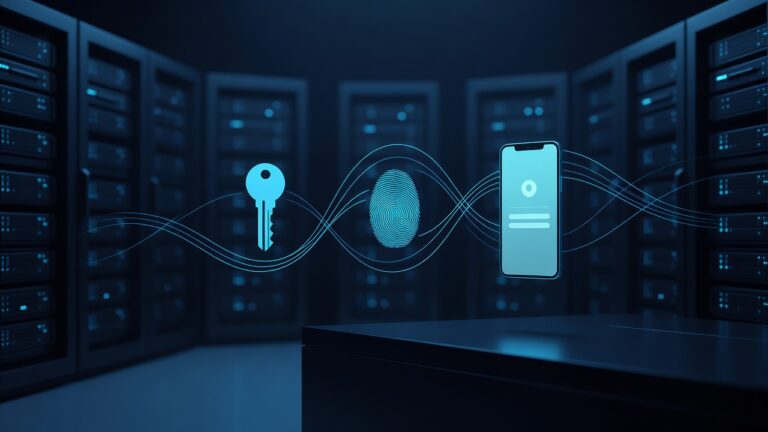
Multi-Factor Authentication (MFA) changes the math. It adds a second layer of verification. It asks, “Do you know the password?” and then, “Do you have the thing that proves it’s really you?” This simple shift stops the vast majority of automated attacks before they ever touch your data.
What MFA Actually Looks Like in Daily Operations
MFA is not a complex IT project that requires a six-month rollout. For most SMBs, it is a setting you toggle on in your email or cloud storage provider. When your team logs in, they enter their password. Then, their phone buzzes. They tap “Yes” on a notification, or they type in a six-digit code that changes every 30 seconds. That is it.
There are a few common ways this works, and you should know which one your team is using:
- Push Notifications: The most common method. A prompt appears on a smartphone app. The user taps to approve. It is fast and requires no typing.
- Time-Based One-Time Passwords (TOTP): The user enters a 6-digit code from an app like Authenticator. This is highly secure because the code is generated locally on the phone and does not rely on a cellular signal.
- Hardware Keys: A small USB stick or Bluetooth fob. The user plugs it in or holds it near the device. This is the most secure option but requires buying physical hardware for every employee.
For most Keokuk businesses, push notifications or TOTP apps are the sweet spot. They are free or low-cost, easy to set up, and significantly harder for hackers to bypass than a simple SMS text message.
Why Local Businesses Are Prime Targets
You might think, “I’m not a big tech company. Why would hackers target me?” The answer is simple: you have data. You have customer credit card numbers, employee Social Security numbers, and vendor contracts. You also likely have less IT staff than a large corporation, which means your defenses might be thinner.
Hackers often use “spray and pray” tactics. They send thousands of phishing emails to local businesses in the Quad Cities. If one employee clicks the link and enters their password, the hacker now has access to your email. From there, they can reset passwords, send fake invoices to your clients, or encrypt your files and demand ransom.
MFA breaks this chain. Even if the hacker has the password, they do not have the phone. They cannot approve the login. They cannot guess the 6-digit code. The attack fails.
The Cost of Not Doing It
The cost of MFA is low. Most major providers like Microsoft 365, Google Workspace, and Dropbox include basic MFA for free. The cost of a breach is high. According to recent industry reports, the average cost of a data breach for a small business is over $200,000. That includes the cost of notifying customers, paying for credit monitoring, and the hours your team spends recovering from the incident.
There is also the cost of downtime. If your email is locked or your accounting software is inaccessible, your business stops. In Keokuk, where many businesses rely on local relationships and quick turnaround times, downtime is expensive.
How to Implement MFA Without Losing Your Mind
You do not need to overhaul your entire IT infrastructure. Start with the accounts that matter most.
- Email: This is the front door. Enable MFA for all staff email accounts.
- Cloud Storage: Where your files live. If someone gets into your email, they often try to get into your shared drives.
- Financial Accounts: Your online banking and accounting software.
- Customer Portals: If your clients log in to view invoices or orders, encourage them to use MFA too.
When you enable MFA, you will need to set up a backup method. If an employee loses their phone, they need a way to get back in. Most systems allow you to generate backup codes. Print these out and store them in a safe place, like a fireproof box in your office. Do not email them to yourself.
Common Myths About MFA
“It’s too annoying for my staff.” This is the most common complaint. At first, yes, it is an extra step. But after a week, it becomes muscle memory. It takes five seconds. Compare that to the stress of a breach. Most employees prefer the slight friction of a login prompt to the chaos of a security incident.
“We already have strong passwords.” Strong passwords are still necessary, but they are not sufficient. A password is something you know. MFA is something you have. Combining them creates a much stronger lock.
“We are too small to be targeted.” Hackers do not care about your size. They care about your data. A local law firm, a medical practice, or a manufacturing plant all have valuable information. In fact, smaller businesses are often targeted because they are perceived as easier to break into.
Getting Started This Week
You do not need to wait for a perfect moment. Pick one day this week to enable MFA for your email accounts. Here is a simple checklist:
- Log in to your email admin console.
- Find the security settings.
- Turn on MFA for all users.
- Send a brief note to your team explaining that they will see a prompt on their phone the next time they log in.
- Provide instructions on how to set up the authenticator app if they do not have one.
- Generate and store backup codes for each user.
It is a small change that creates a massive difference in your risk profile. Your business is the backbone of the local economy. Protect it with the tools that actually work. MFA is not a luxury; it is the new standard. Implement it, breathe easier, and get back to running your business.