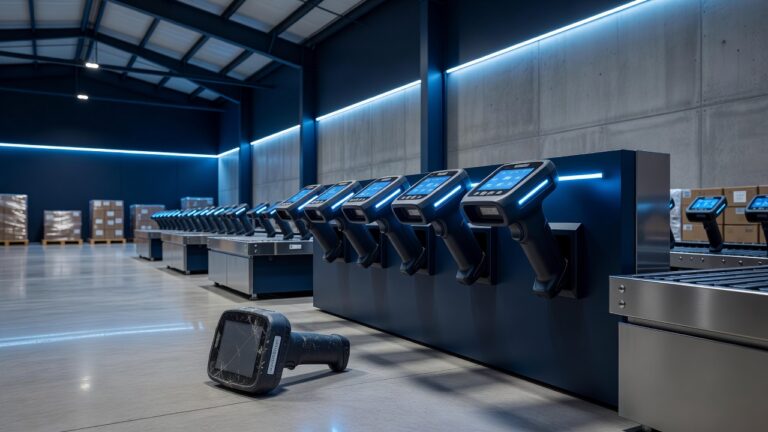
Running a machine shop in Hannibal, Illinois, means dealing with more than just metal chips and coolant. It means managing a network of industrial PCs, CAD workstations, and ERP terminals that sit right next to the action. When a spindle stops, the shop stops. When a backup fails, the shop scrambles. For local manufacturers, the intersection of rugged hardware and reliable data recovery is where profitability lives or dies.
The unique environment of the shop floor
Standard office computers are not built for the realities of a machining environment. In a Hannibal shop, you are dealing with airborne particulates, temperature fluctuations from furnace cycles, and the constant vibration of heavy equipment. Dust is the silent killer of shop-floor PCs. It settles into cooling fans, clogs heat sinks, and eventually causes thermal throttling or complete failure.
Most local shops find that standard desktop towers fail within eighteen to twenty-four months in these conditions. This leads to a cycle of constant downtime and emergency IT calls. The solution is not just buying better computers, but understanding the specific threats to your hardware. You need machines that can withstand the physical and environmental stress of the production floor.
Choosing the right hardware for durability
When selecting new equipment for your shop, prioritize ruggedized components. Look for industrial-grade PCs with fanless designs or sealed cooling systems. Fanless units eliminate the primary intake for dust, significantly extending the lifespan of the internal components. If you must use fans, ensure they are easily accessible for regular cleaning.
Consider the following features when upgrading your shop-floor infrastructure:
- Sealed keyboards and trackballs: These prevent coolant splashes and metal shavings from entering the input devices, which are often the first point of failure.
- Industrial monitors: Look for units with anti-glare coatings and higher brightness levels to combat the harsh lighting common in manufacturing plants.
- Redundant power supplies: In critical control stations, a single point of failure in the power supply can halt a CNC machine. Redundant power ensures continuity.
- Local storage vs. Cloud: While cloud storage is convenient, shop-floor PCs often need local, solid-state drives (SSDs) for speed. SSDs have no moving parts, making them resistant to the vibrations that destroy traditional hard drives.
The backup strategy that actually works
Having durable hardware is only half the battle. If your ERP system or CAD files are lost, the hardware is useless. Many shops in the region rely on a single external hard drive that sits on a desk. This is a dangerous practice. If that drive is dropped, flooded, or corrupted, you lose your history.
A robust backup strategy for a machine shop requires the 3-2-1 rule. You need three copies of your data, stored on two different types of media, with one copy off-site. For a local shop, this might look like:
- Local Network Attached Storage (NAS): This provides fast access for daily operations and immediate recovery if a workstation crashes.
- Cloud Backup: This protects against physical disasters like fire or theft. It also allows remote access for IT support, which is crucial when your on-site tech is busy.
- Versioning: Ensure your backup system keeps multiple versions of files. If a bad update corrupts a CAD file, you need to be able to roll back to the version from yesterday.
Minimizing downtime with proactive maintenance
The best time to fix a computer is before it breaks. Implement a simple maintenance schedule for your IT team or managed service provider. This should include quarterly dusting of all units, checking for software updates, and verifying backup integrity.
Automate your backups. Human error is the leading cause of backup failures. If a technician forgets to plug in the external drive, the backup does not happen. Automated cloud backups run in the background, ensuring that data is always protected without requiring manual intervention.
Local support matters in the Quad Cities
When your shop is down, you cannot wait three days for a ticket to be resolved. You need local support. Working with a local IT provider in the Hannibal or Moline area ensures that someone can be at your door within hours, not days. They understand the specific needs of the manufacturing industry and can provide on-site support for both hardware and software issues.
Local providers also understand the connectivity landscape in the region. They can help you optimize your network for the specific demands of your shop, ensuring that data flows smoothly between your machines and your servers.
Conclusion
Shop-floor PCs and backups are not just IT issues; they are production issues. By investing in rugged hardware, implementing a robust 3-2-1 backup strategy, and partnering with local support, your Hannibal machine shop can reduce downtime and protect your valuable data. The goal is to make your IT infrastructure invisible, so you can focus on what you do best: making parts.
Take the time to audit your current setup. Identify your single points of failure. Upgrade your hardware to withstand the shop environment. And automate your backups. Your future self will thank you when the next crisis hits.