Password fatigue is a daily tax on Quincy small and midsize businesses. Staff juggle dozens of logins, reuse weak phrases, and still get locked out at the worst moment. Attackers know this. Stolen credentials remain one of the most common ways local firms lose email, accounting systems, and customer data. Passwordless logins cut that risk without slowing the workday.
Why passwords keep failing Quincy businesses
Most SMBs in Quincy do not have a full-time security team. Owners, office managers, and part-time IT contacts inherit whatever login habits staff already use. Shared spreadsheets of passwords, sticky notes, and “Password1!” variants still show up in shops, clinics, contractors, and professional offices.
That pattern creates three problems at once:
- Phishing works because a convincing email can harvest the one secret that unlocks everything.
- Credential stuffing works because reused passwords from old breaches still open current accounts.
- Help-desk time explodes because resets, lockouts, and “I forgot” tickets eat hours every week.
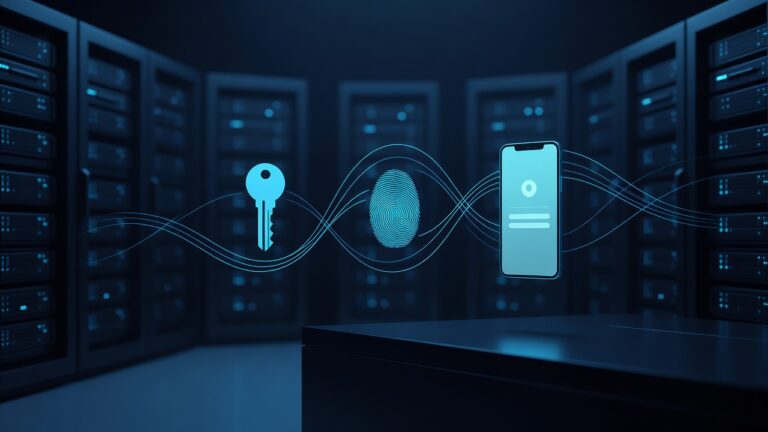
Passwordless authentication replaces the shared secret with something the user has or is: a device, a biometric, or a hardware key. The login still proves identity. It just stops depending on a string people can type, leak, or reuse.
What passwordless actually means
Passwordless is not a single product. It is a set of methods that confirm a user without asking for a traditional password at the moment of login.
Common options Quincy SMBs can use today include:
- Passkeys tied to a phone, laptop, or security key (FIDO2 / WebAuthn)
- Windows Hello or similar device biometrics on company PCs
- Authenticator-app approvals and number matching for Microsoft 365 and similar suites
- Hardware security keys for admins and high-risk accounts
- Single sign-on so staff authenticate once and reach multiple apps
The user experience is simple: unlock the device, approve a prompt, or tap a key. Behind the scenes, cryptographic keys do the work. A phishing site cannot steal a passkey the way it can steal a typed password, because the secret never leaves the device and is bound to the real login domain.
Benefits that matter for local SMBs
Quincy firms care about uptime, insurance, customer trust, and payroll. Passwordless helps on all four.
Fewer breaches from stolen passwords. If there is no password to phish, a large class of attacks fails. That matters for email, banking portals, EHR-adjacent tools, and any cloud app that holds client files.
Less downtime. Staff spend less time resetting accounts. Seasonal workers and new hires get productive faster when onboarding is a device enrollment, not a 16-character policy they will immediately forget.
Cleaner audits and insurance conversations. Cyber insurers and clients increasingly ask how you control access. Passkeys, MFA, and conditional access are easier to document than “we told everyone to pick a strong password.”
Better remote and hybrid work. Many Quincy businesses have people in the office, on job sites, and at home. Passwordless methods travel with the user and the approved device instead of living in a notebook in a desk drawer.
Lower long-term IT cost. The first month of rollout takes planning. After that, password-reset tickets usually drop, and admin time shifts from firefighting to actual improvements.
Practical methods that fit a Quincy shop
You do not need to rip out every system on day one. Most SMBs already live in Microsoft 365, Google Workspace, or a mix of cloud apps. Start where people already log in every morning.
Microsoft 365 and Windows shops. Enable Windows Hello for Business where hardware allows. Turn on passkeys and authenticator-based sign-in. Require phishing-resistant methods for global admins. Use Conditional Access so risky locations or unmanaged devices get extra checks or a block.
Cloud apps and line-of-business tools. Prefer vendors that support SSO and passkeys. Connect them to your identity provider so staff are not inventing a new password for every portal. If a vendor still requires a password, isolate it, enforce a unique credential in a manager, and plan a replacement.
Privileged accounts. Owners, bookkeepers, and IT admins should use hardware keys or passkeys, not SMS codes. SMS can be intercepted. A physical key or device-bound passkey is much harder to steal remotely.
Shared workstations. Front desks and shop floors need a different pattern than laptops. Fast user switching, badge-plus-PIN, or short-lived sessions can still be passwordless without leaving a logged-in session on a public counter.
A rollout that does not stall the business
A good rollout is staged, not a surprise Friday cutover.
Inventory identities and apps. List who logs in, from which devices, and which systems hold money, health data, or customer records. Include vendors and part-time staff.
Pick a primary identity platform. For most Quincy SMBs that is Microsoft Entra ID or Google. Centralize there so you are not managing ten separate passwordless projects.
Pilot with a friendly group. Choose a department that will give honest feedback. Measure login time, lockouts, and support tickets before and after.
Train in five minutes, not a seminar. Show the phone prompt, the fingerprint, and the backup path if a phone is lost. Write a one-page recovery process for the office manager.
Plan device loss. Phones get replaced. Laptops get stolen from cars. You need a way to revoke a passkey and enroll a new device without calling a vendor at 7 a.m.
Keep a break-glass account. Store it offline, monitor it, and never use it for daily work. Passwordless should not mean you cannot recover from a lockout.
Security caveats Quincy owners should not skip
Passwordless is stronger than passwords. It is not magic.
Device hygiene still matters. A malware-ridden PC can abuse an already-unlocked session. Keep endpoint protection, patching, and disk encryption in place.
Recovery paths can become the new weak spot. If anyone can reset a passkey with a polite phone call, you have rebuilt social engineering. Verify identity before re-enrollment.
Legacy apps will lag. Some industry software will keep passwords for years. Contain those accounts, monitor them, and do not let them share the same credential as email.
MFA fatigue is real if you only add more push prompts. Prefer passkeys and number matching over endless “Approve?” taps that people click without looking.
How an MSP typically helps
Many Quincy SMBs do not want to become identity experts. A managed provider can map your apps, turn on the right Microsoft or Google controls, enroll devices, and watch for failed logins and impossible travel. The goal is a login that feels faster for staff and harder for attackers, with someone accountable when a phone is lost or a vendor changes their SSO settings.
Passwordless logins are no longer a Fortune 500 experiment. They are a practical upgrade for Quincy businesses that are tired of resets, phishing close calls, and the false comfort of a long password policy nobody follows. Start with the systems people use every morning, protect the admin accounts first, and treat device recovery as part of the design—not an afterthought.