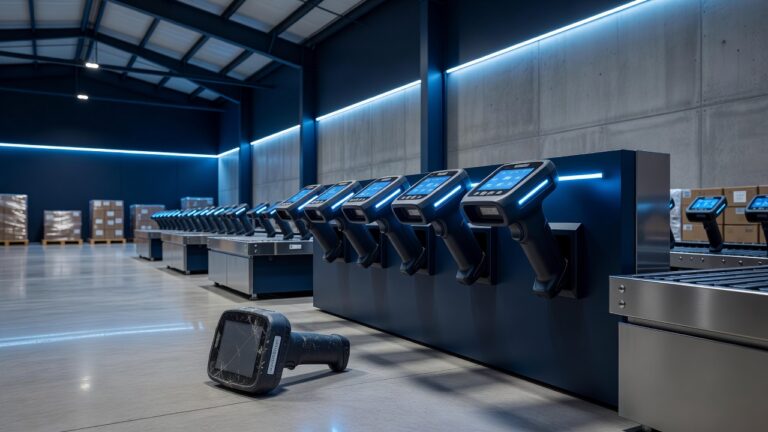
Local companies in Quincy, Hannibal, and Keokuk do not need to be household names to become ransomware targets. Attackers go after clinics, manufacturers, accountants, school vendors, and family-owned retailers because those organizations keep payroll, invoices, and customer records on a handful of servers and laptops. When those systems lock, the business stops. A modern backup plan is not a luxury IT project. It is the difference between a bad afternoon and a weeks-long shutdown that customers in the tri-state area will remember.
Why ransomware still succeeds against small and midsize firms
Ransomware is rarely a dramatic Hollywood breach. It usually starts with a phishing email, a reused password, a remote-access tool left open, or an unpatched workstation. Once inside, attackers quietly map file shares, disable or delete backup jobs they can reach, and encrypt production data. They then demand payment and threaten to leak stolen files.
That pattern is especially painful for businesses along the Mississippi River corridor. Many shops run lean IT. A single file server in Quincy may hold years of CAD drawings. A Hannibal clinic may keep scheduling and billing on one application. A Keokuk manufacturer may depend on a shop-floor PC that nobody has imaged in years. If the only copies of that data sit on the same network the attacker just owned, recovery is a negotiation, not a plan.
Backups fail in these incidents for predictable reasons. Files are copied to a USB drive that stays plugged in. Nightly jobs write to a network share that uses the same domain credentials as everyone else. Cloud sync tools replicate ransomware-encrypted files in minutes. Tape or disk media exists, but nobody has restored from it since the last IT person left. The backup “worked” until the day it had to work.
What a ransomware-ready backup actually requires
A useful backup strategy assumes the production network will be untrustworthy on the worst day. That means copies must be frequent, isolated, tested, and restorable to a known-good point in time.
Immutability and isolation come first. At least one copy should be offline, air-gapped, or written to storage that cannot be altered or deleted by the same admin accounts attackers steal. Cloud object lock, offline disks rotated off-site, and dedicated backup appliances with separate credentials all serve that goal. If ransomware can reach the backup, it is not a backup.
Retention and versioning come next. Encrypting malware often sits undetected for days. A single overnight copy is not enough if the last good file is already poisoned. Keep multiple recovery points across days and weeks so you can roll back past the infection window without paying a ransom for a decryption key that may never work.
Restore testing is the part most local firms skip. A backup that has never been restored is a hope, not a control. Schedule regular restore drills: a file, a mailbox, a virtual machine, then a full application. Time how long it takes. Document who has the passwords, where the media lives, and which vendor answers the phone after hours. Quincy, Hannibal, and Keokuk businesses cannot wait on a distant call center when the plant or clinic is dark.
Scope matters as much as technology. Back up workstations that hold unique files, not only the server. Include line-of-business applications, SQL databases, cloud SaaS exports, and network device configs. Map what “minimum viable operations” looks like: payroll, invoicing, production orders, patient scheduling. Those systems get the tightest recovery-time targets.
How an MSP should run this for tri-state companies
Managed service providers serving Adams County, Marion County, and Lee County should treat backup as a security control, not a checkbox on a monthly invoice. That means monitoring job success every day, alerting on silent failures, and reviewing backup coverage when a new server, laptop fleet, or cloud app appears.
A practical stack for this region usually combines image-based backups of servers, file-level protection, and a cloud or off-site replica that the local office cannot wipe. Endpoint protection and email filtering reduce the chance of the first foothold. Multi-factor authentication on remote access and backup consoles keeps stolen passwords from becoming a wipe-and-encrypt event. None of that replaces staff training, but it raises the cost of a casual attack.
Incident playbooks belong next to the backup console. Who unplugs the infected machine. Who calls the insurance carrier. Who decides whether to restore in place or stand up clean systems. Who talks to customers if data may have left the building. For a 30-person shop in Hannibal or a plant in Keokuk, that playbook can fit on a few pages, but it has to exist before Friday at 4 p.m.
Cost is a fair concern. Immutable cloud storage and tested recovery are not free. They are cheaper than a week of downtime, overtime for reconstruction, regulatory notices, and lost bids. Owners in Quincy already know what a flood or tornado plan costs. Ransomware is the digital version of that risk, and it does not wait for storm season.
Next steps owners can take this month
Start with an inventory. List every system that would stop revenue if it vanished tonight. Confirm a recent restore of the most important one. Separate backup credentials from daily admin logins. Turn on MFA everywhere remote access exists. Ask your MSP, in writing, where immutable copies live, how long they are kept, and the last time a full restore was proven.
If those answers are vague, the backup is not ransomware-ready. Local businesses in Quincy, Hannibal, and Keokuk do not need a Fortune 500 security budget. They need copies the attacker cannot touch, people who know how to use them, and a recovery clock measured in hours rather than hopes. That is the standard a serious MSP should already be meeting.