Managing technology in a small-town church setting requires a balance between cost-efficiency and security. In Hannibal, many congregations rely on a mix of personal devices and shared resources to keep operations running smoothly. However, without clear protocols, this approach can lead to data loss, security breaches, and administrative headaches. This guide outlines three critical areas where basic IT hygiene can protect your ministry and streamline your workflow.
Securing Shared Inboxes
Shared inboxes are the lifeline for church administration, handling everything from event registrations to facility bookings. However, they are also a primary target for phishing attacks. If a single volunteer’s email account is compromised, the entire shared inbox is at risk. To mitigate this, enable two-factor authentication (2FA) for all staff and volunteers who have access to the shared account. This adds a layer of security beyond just a password, requiring a code sent to a mobile device.
Additionally, establish a clear protocol for email forwarding. Many volunteers forward church emails to their personal accounts for convenience. While this is often necessary, it creates a security gap if the personal account is hacked. Use the “forward and keep” setting rather than “forward and delete” to ensure the original email remains in the shared archive. This preserves the record of communication and allows for easier auditing if questions arise later. Finally, review access permissions quarterly. Volunteers come and go; ensure that former members are removed from the shared inbox to prevent unauthorized access to sensitive correspondence.
Protecting Donor Data
Donor information is sensitive personal data. It includes names, addresses, email addresses, and often financial details. Under data protection best practices, this information should be treated with the same care as a bank statement. The most common mistake churches make is storing donor lists in unencrypted spreadsheets on personal laptops or cloud drives without proper sharing settings.
To protect this data, centralize your donor management in a dedicated church management software (ChMS) or a secure cloud-based spreadsheet with strict permission controls. Avoid emailing large donor lists as attachments. Instead, use secure sharing links with expiration dates. If you must use a spreadsheet, ensure it is password-protected and stored in a secure folder that only the finance team can access. Regularly back up this data to an external drive or a secure cloud service. In the event of a hardware failure, you want to be able to restore your donor list within hours, not days. Remember, you are a steward of your congregation’s trust; protecting their data is part of that stewardship.
Managing Volunteer Laptops
Volunteers are the backbone of church operations, but their devices are often the weakest link in your security chain. Many volunteers use personal laptops for church tasks, a practice known as BYOD (Bring Your Own Device). While this saves money, it introduces risks. Personal devices may lack antivirus software, have outdated operating systems, or contain personal files that could be exposed if the device is lost or stolen.
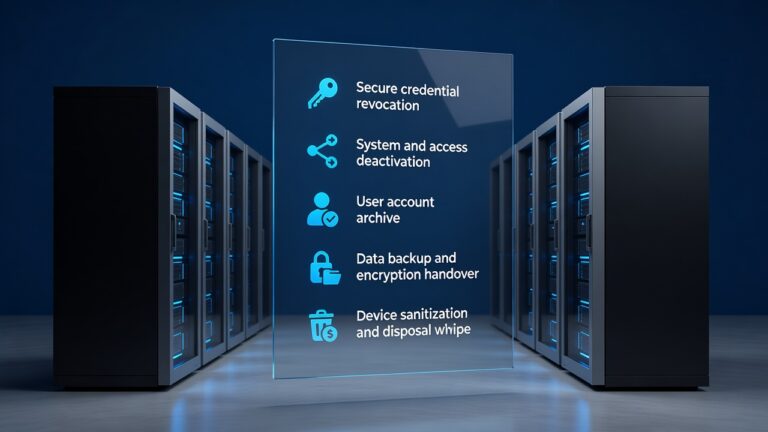
Implement a simple policy for volunteer laptops. First, require that all devices used for church work have a strong, unique password. Second, encourage the use of a virtual private network (VPN) when accessing church resources over public Wi-Fi, such as at local cafes or the library. Third, consider providing a basic antivirus solution to volunteers. Many reputable providers offer free or low-cost versions for non-profits. Finally, establish a “clean up” protocol. When a volunteer’s term ends, ensure they delete church files from their personal device or transfer them to the central server. This prevents data fragmentation and ensures that sensitive information does not remain on devices that are no longer under church oversight.
Building a Sustainable IT Culture
Technology management is not a one-time task but an ongoing process. By focusing on these three areas—shared inboxes, donor data, and volunteer laptops—you create a foundation for secure and efficient operations. Start small. Pick one area to improve this month. Implement the changes, communicate them clearly to your team, and then move to the next. In Hannibal, where community ties are strong, a well-managed IT system supports the ministry by reducing friction and protecting the people you serve. Take these steps today to ensure your church’s digital presence is as robust as its physical one.